
Installation Guide
Firetail is available for Mac, Linux and Windows. Download your copy from here.
If you are unsure which version to choose, start with the Free Edition and order a trial license
when you hit any hard limits of this edition.
For productive use in research consider to include a full license of Firetail in your next grant application. This will include expert support and on-demand features for large-scale projects. Contact us!
Prerequisites
Current Firetail releases have been confirmed to work fluently on older, low-end business configurations. Limitations are dependent on the data you wish to analyze. Acceleration sources will not be kept in memory when working with burst data. Video export and live previews will profit from modern setups.
Minimal tested configuration
- Intel Core i5-2520M System (2nd Gen)
- integrated graphics
- 8GB RAM
- 128 GB HDD, project dependent
Optimal Config
- Intel Core i7 CPU (Gen 12+)
- 32+ GB of RAM, project dependent
- 500 GB SSD, project dependent
- optional: secondary monitor for sensor/acc/tools
OS
- Linux
- Mac
- Win (10 and above)
Space requirements
- ~150 MB installation
- 1-5 GB of storage for buffered map material (tile buffer can be cleaned)
- project dependent: 10+ GB of storage for local (Movebank) copies
Network
Firetail can work completely offline, given map material is downloaded previously and project data is available.
- Web access Movebank API, sample projects
- Web access map APIs
Download an edition for your platform and follow the instructions below:
Installation Windows
We successfully tested Firetail on Windows 7 to 11. As Microsoft no longer ships security updates for Windows 7, we strongly suggest to switch to an alternative as soon as possible.
In general, please make sure to have the latest updates installed.
Installation:
- Navigate to your Downloads folder in an explorer window and start
firetail-setup-latest.exe - Click
Agreeafter you have read our license agreement - Click
Nextand leave the components as-is- the (de-)installation won't remove your settings/licenses
- Click
Install - Click
Next - Click
Finish - Start Firetail from the desktop or from the Start menu.
Installation Mac OS
- Navigate to you downloads and open
Firetail-latest.dmg - Click
Installand follow the instructions - Firetail should be available among your applications
Installation Linux
Ubuntu
On Ubuntu and related systems, navigate to your Download directory and use
sudo dpkg -i firetail-latest-amd64.deb
firetail
to install and run firetail.
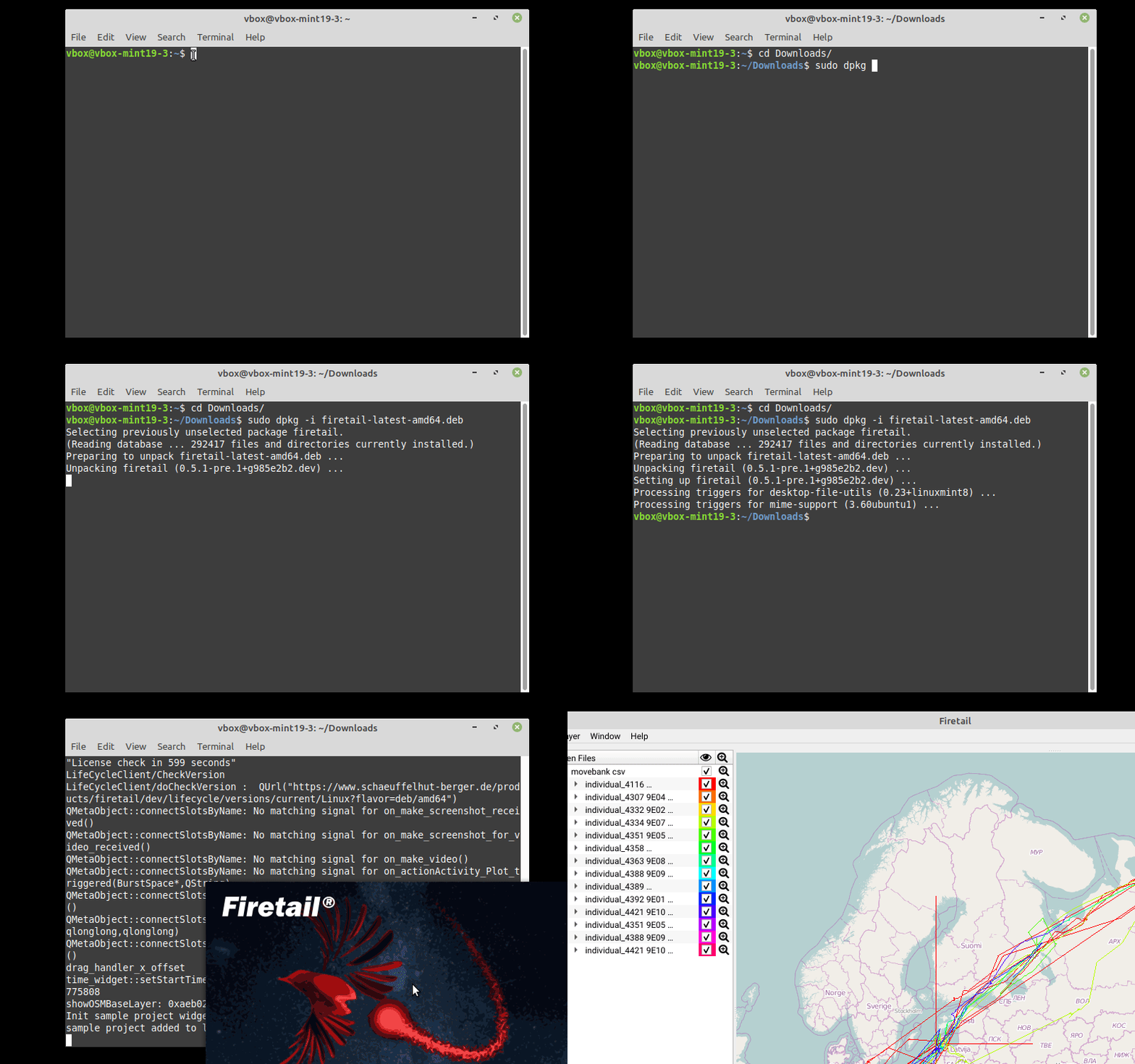 -- ubuntu installation --
Open SuSe
zypper install /path/to/manually/downloaded.rpm
see OpenSuse package installation for details.
Pre-compiled binaries (tar.gz)
A fast approach to arrive at a running Firetail distribution without installation is to download
the .tar.gz version of Firetail.
To unpack and run Firetail navigate to your download directory, unpack the .tar.gz and
run FiretailMain:
cd Downloads
tar -xzvf firetail-latest-amd64.tar.gz
cd firetail-v6.0.1-amd64
cd bin
./FiretailMain
Local firetail files
Firetail will automatically determine a suitable location for its project data depending on the system you are using. If the local files take up too much space, datasets can be removed manually (see sample projects or cloud scenes). The 'firetail.log' resides in the main user data folder. Commonly, these are:
~/.local/share/Schaeuffelhut Berger GmbH/Firetail/
C:\Users\${USER}\AppData\Local\Schaeuffelhut Berger GmbH\Firetail\
/Users/${USER}/Library/Application Support/Schaeuffelhut Berger GmbH/Firetail/